Handelsbanken
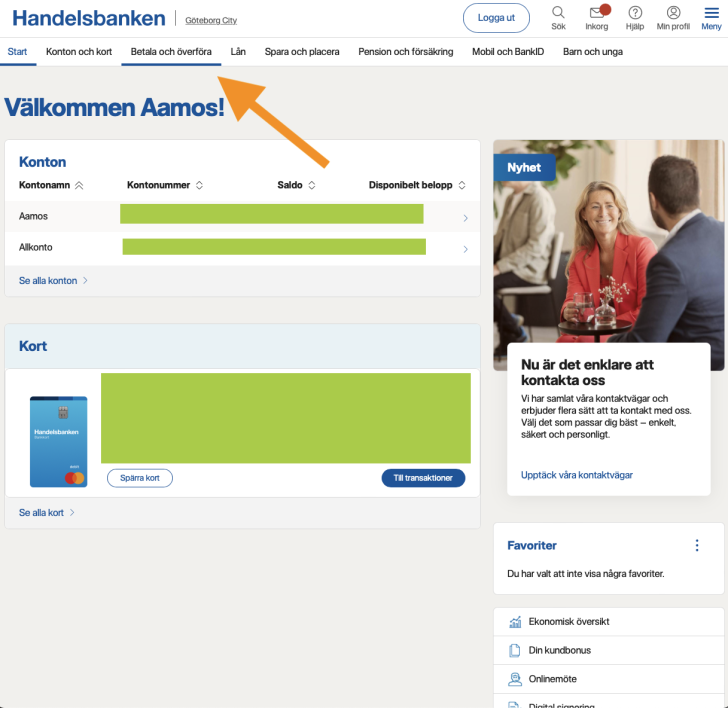
- Open Handelsbanken online banking (i.e. the website, not the app) if you want to make a monthly donation, otherwise if you want to make a one-time donation you can also do it via the Handelsbanken app.
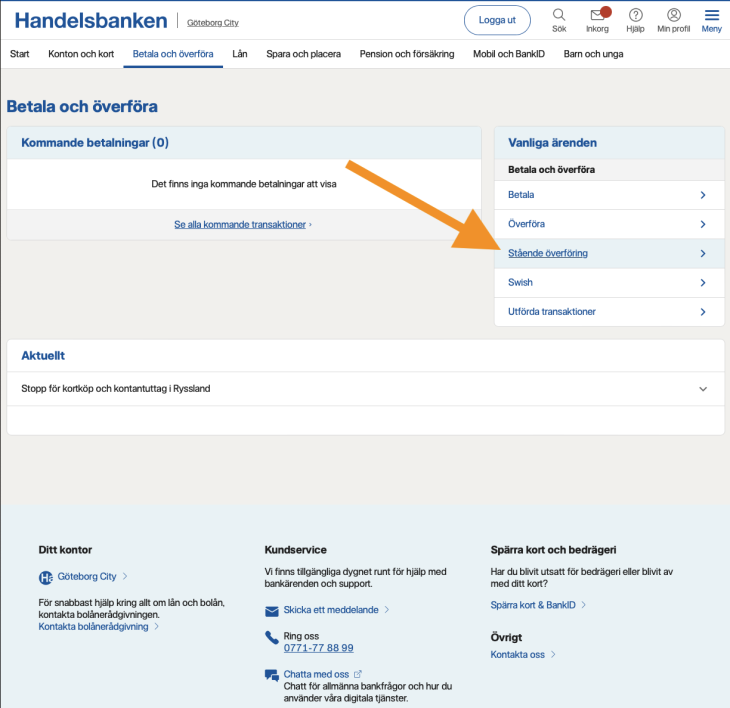
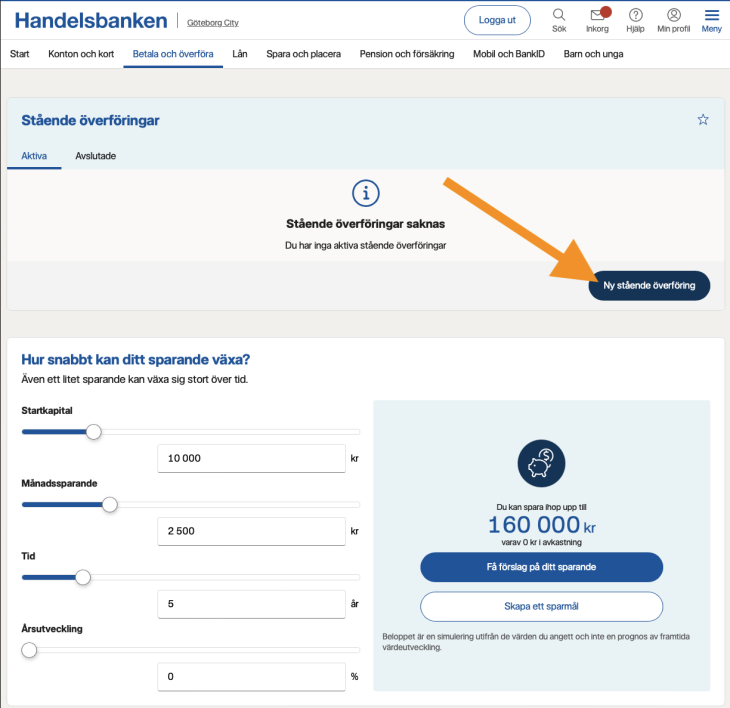
- Go to pay and transfer. Click on standing transfer if you want to make a monthly donation, and then select to create a new standing transfer. Otherwise create a regular transfer.
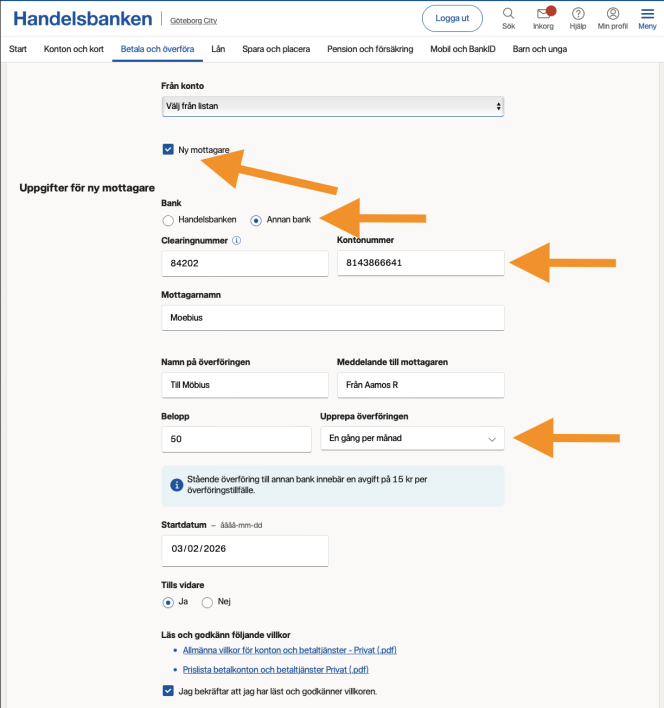
- Create Möbius as a new recipient with account-clearing number 84202 8143866641 (note that this is a Swedbank account, i.e. select the button “Other bank”)
- Enter amount, and make sure it says Yes under the button “Until Further Notice” if you want to make a monthly donation.
- Check that everything is correct, and then approve the payment. Thank you for your contribution! :))
⚠️ Note that a fee may apply to certain standing transfers!